

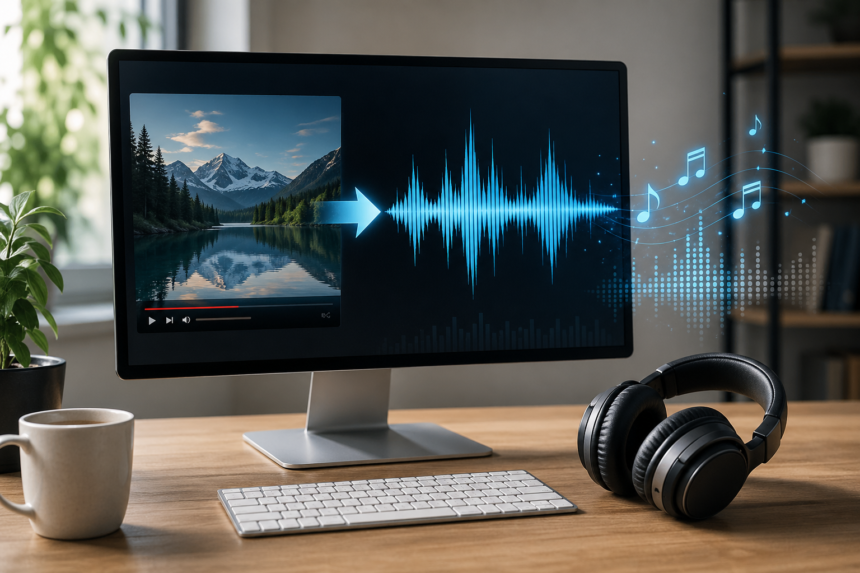
If you are searching for YouTube to MP3 320, you are probably after one thing: cleaner, fuller audio that does not sound thin, muddy, or overly compressed. That makes sense. A 320 kbps MP3 is widely seen as the top end of standard MP3 quality, and for many listeners it is a practical balance between sound quality and file size. Adobe notes that MP3 commonly ranges from about 96 to 320 Kbps, while audio CD quality is much higher at 1,411 Kbps, which helps explain why 320 kbps is “high quality” for MP3 but still not identical to a lossless source.
- What YouTube to MP3 320 Actually Means
- Why a 320 kbps File Is Not Always “Better”
- The Legal Side Matters More Than Most People Think
- Best Ways to Handle YouTube to MP3 320 Without Sacrificing Quality
- What Makes a Good YouTube to MP3 320 Converter Workflow
- How to Tell Whether 320 kbps Is Worth It
- Common Mistakes People Make
- A Smarter Way to Think About High-Quality Audio
- Conclusion
At the same time, the phrase YouTube to MP3 320 Converter often gets used too casually online. Not every YouTube video can actually deliver true 320 kbps quality in a meaningful way. If the original upload, stream, or transcoded source is already compressed, converting it again into a 320 kbps MP3 does not magically create missing detail. In simple terms, a bigger number on the final file does not always mean better sound. YouTube’s own upload documentation shows that uploaded audio is already subject to platform encoding rules, with formats such as AAC and recommended bitrates depending on content type, which is why source quality matters so much.
That is why the best article on this topic is not one that throws random converter names at you. The useful approach is understanding when YouTube to MP3 320 makes sense, when it does not, and which methods are both practical and lawful.
What YouTube to MP3 320 Actually Means
A 320 kbps MP3 is an MP3 file encoded at 320 kilobits per second. In everyday listening, that usually means fewer compression artifacts than lower-bitrate MP3 files, especially in cymbals, layered vocals, acoustic textures, and dense mixes. Adobe’s audio primer explains that higher bitrate generally preserves more audio information, while lower bitrate trades quality for smaller file size.
Still, bitrate is only one part of the story. The final result depends on the source material, the encoder, and whether the audio was re-encoded multiple times. The LAME project describes LAME as a high-quality MP3 encoder, and FFmpeg’s documentation confirms that FFmpeg supports MP3 encoding through the libmp3lame wrapper. In practice, that matters because a good encoder can produce cleaner output from a legitimate source file than a poor-quality web converter can.
So the real goal is not just getting a file labeled 320 kbps. The real goal is preserving as much quality as the source can honestly provide.
Why a 320 kbps File Is Not Always “Better”
This is the part many articles skip. If a YouTube stream was already compressed before you touched it, re-encoding it to MP3 at 320 kbps cannot restore what is gone. Once detail has been removed by lossy compression, it stays gone. You can make the output file larger, but you cannot rebuild the lost audio information from scratch. Adobe’s bitrate overview and YouTube’s own encoding specs make this limitation clear in practical terms: platform audio is compressed, and output quality depends on the starting material.
That means the smartest use of YouTube to MP3 320 is in situations like these:
- You are working with your own original upload and want a convenient MP3 copy.
- The creator has clearly given permission to download or reuse the audio.
- The media is public domain or licensed for reuse.
- You already have a high-quality source file outside YouTube and simply want a portable MP3 version.
In those cases, a YouTube to MP3 320 Converter workflow can be reasonable. In many other cases, the better choice is official offline playback or a direct download from the creator.
The Legal Side Matters More Than Most People Think
This is where people should slow down. YouTube’s Terms of Service say users may access and use the service as made available and are not allowed to access, reproduce, or download content except as authorized by the service or with prior written permission from YouTube and, if applicable, the rights holders. Google’s support pages also point users to official offline options through YouTube Premium and YouTube Music Premium.
Copyright law adds another layer. The U.S. Copyright Office explains that copyright protects original works and that fair use is a limited legal doctrine evaluated case by case, not a blanket permission to copy whatever you want. In other words, just because something is visible online does not mean it is free to download, convert, store, or redistribute.
For a publisher, the safest and most credible position is simple: use YouTube to MP3 320 methods only for content you own, content you are licensed to use, public-domain works, or files you are expressly permitted to download.
Best Ways to Handle YouTube to MP3 320 Without Sacrificing Quality
There is no single best method for every user. The right method depends on what you are trying to do and whether you actually need an MP3 file.
1. Use YouTube Premium or YouTube Music Premium for Offline Listening
For many people, this is the cleanest answer. Google’s support documentation says Premium members can download videos for offline viewing, and YouTube Music Premium members can download songs, videos, podcasts, and other supported content for offline listening inside the app.
This method has obvious limits. You are not getting a standalone MP3 file in your downloads folder. But if your actual goal is simply listening offline with good convenience, it is often better than chasing a questionable converter. It is also the option most clearly aligned with platform rules.
2. Download From the Original Creator When a Direct File Is Offered
Many musicians, podcasters, educators, and indie creators publish on YouTube for reach but host downloadable files elsewhere. If the creator offers a direct MP3, WAV, FLAC, or media kit link, that is almost always the better route. It cuts out unnecessary recompression and gives you a file that was meant to be shared.
This is especially important for music, interviews, lectures, and ambient recordings. A direct download from the rights holder is usually cleaner, safer, and more transparent than any third-party YouTube to MP3 320 Converter page.
3. Extract Audio From Your Own Source Files, Not From a Random Stream
If the video belongs to you, the highest-quality method is usually to go back to your original source file and create an MP3 from that. FFmpeg is one of the most trusted media tools for this kind of work, and its documentation describes it as a universal media converter with support for MP3 encoding via libmp3lame.
This matters because a local master file gives you control. You can keep a lossless archive, export a portable 320 kbps MP3 for convenience, and avoid extra generations of compression. That is a much more professional workflow than pulling audio from a reprocessed online stream and hoping the output sounds good.
4. Use Public-Domain or Reuse-Permitted Material Carefully
Some YouTube uploads contain music, speeches, archival material, or educational recordings that are clearly public domain or licensed for reuse. In those cases, the smartest move is still to verify the license and, when possible, trace the media back to the original repository rather than relying on a stripped copy from a video page.
The reason is simple. Rights and quality both improve when you start at the source.
What Makes a Good YouTube to MP3 320 Converter Workflow
A good workflow is not just about speed. It is about output integrity.
Here is what actually matters:
- Clean source audio
- Minimal re-encoding
- A reliable encoder such as LAME
- Proper sample rate handling
- Clear rights to use the content
- No bundled malware, fake download buttons, or shady redirects
The LAME project has long been recognized for high-quality MP3 encoding, and FFmpeg’s codec documentation shows why it is commonly used in professional and enthusiast workflows.
By contrast, many online converter sites focus on convenience first and audio quality second. They may also raise security and privacy concerns. A larger file size, an aggressive “320 kbps” badge, and a flashy interface do not prove that the output is genuinely better.
How to Tell Whether 320 kbps Is Worth It
For spoken-word content such as interviews, lectures, commentary, or podcasts, 320 kbps is often more than enough, and in many cases lower bitrates can still sound perfectly acceptable. For dense music, live recordings, cinematic soundtracks, and layered instrumentals, 320 kbps is a more sensible target if you want the best MP3 quality available. Adobe’s overview supports this general principle by noting that higher bitrates preserve more information and are preferred by listeners who care more about quality than tiny file sizes.
But there is a practical twist. If the original material on YouTube was uploaded or transcoded at lower effective quality, your 320 kbps output may simply be a larger copy of already-compressed sound. That is why experienced users judge with their ears, not just the bitrate number.
A useful real-world rule is this: if the source sounds smeared, brittle, or flat before conversion, a 320 kbps export will not rescue it.
Common Mistakes People Make
One of the biggest mistakes is assuming every YouTube to MP3 320 result is equal. It is not. Two files can both say 320 kbps and still sound noticeably different because the source, encoder, and conversion path were different.
Another common mistake is ignoring the difference between offline access and permanent file ownership. Official app downloads are convenient, but they are not the same thing as a standard MP3 file saved to your library. Google’s support pages are clear that Premium downloads are tied to the app environment and membership conditions.
A third mistake is assuming “fair use” automatically covers personal downloading. The U.S. Copyright Office does not describe fair use that broadly. It emphasizes that fair use depends on context and is evaluated case by case.
A Smarter Way to Think About High-Quality Audio
The better question is not, “How do I force every video into 320 kbps MP3?” The better question is, “What is the cleanest, most lawful path to high-quality audio for this specific content?”
Sometimes that answer is YouTube Premium. Sometimes it is YouTube Music Premium. Sometimes it is a creator’s official download page. Sometimes it is your own original file exported with a trusted encoder. And sometimes the honest answer is that a YouTube source simply is not the best place to get archive-quality audio in the first place. YouTube’s documentation focuses on platform-friendly formats and delivery, not on serving as a universal master-audio vault.
That distinction matters if you care about sound quality. MP3 is a convenience format. It is useful, widely compatible, and still relevant. But if the source matters, the source always wins.
Conclusion
YouTube to MP3 320 can be a useful concept when you approach it realistically. A 320 kbps MP3 is a strong choice for portable listening, and a trusted YouTube to MP3 320 Converter workflow can produce solid results when you have the right to use the material and a good-quality source. But bitrate alone is not magic. It cannot restore detail that was already lost, and it does not override YouTube’s rules or copyright law. The best results come from lawful access, clean source audio, and careful encoding with reputable tools and methods.
If you want the short truth, this is it: the best way to get high-quality audio is to start with the best legal source available, then convert only when it actually serves a purpose. That mindset will save you time, protect quality, and keep your workflow more professional. In the end, understanding lossy audio compression is often more valuable than chasing a bigger number on a converter page.