



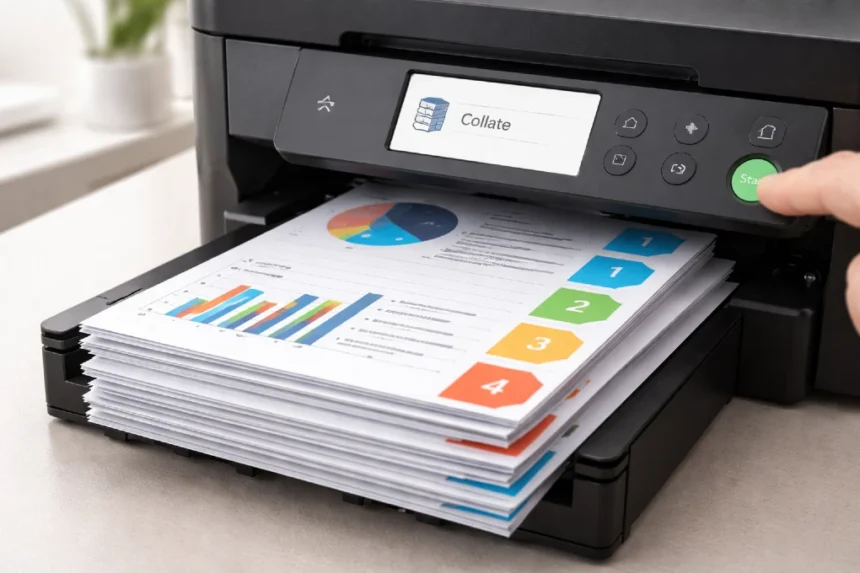
If you have ever hit print and noticed a checkbox labeled Collate, you are not alone if you paused for a second and wondered what it actually does. Many people use printers every week without ever paying attention to that setting until they need multiple copies of the same document. That is usually the moment the question comes up: what does collate mean when printing?
- What Does Collate Mean When Printing?
- Why the Collate Setting Matters
- What Does Collate Mean When Printing in Real Life?
- Collated vs Uncollated Printing
- What Does Collate Mean When Printing on Home Printers?
- What Does Collate Mean When Printing in Offices?
- When You Should Use Collate
- When You Should Not Use Collate
- How to Find the Collate Option
- Common Mistakes People Make with Collate
- Collate vs Duplex Printing
- A Simple Example Anyone Can Understand
- Why Collate Saves Time
- Does Collating Slow Down Printing?
- Best Use Cases for Collated Printing
- Frequently Asked Questions About Collating
- Final Thoughts
The short answer is simple. Collate tells the printer how to organize pages when you print more than one copy of a multi-page document. It sounds like a small detail, but it can save a lot of time, especially in offices, classrooms, and homes where documents often need to be printed in complete sets. Once you understand what does collate mean when printing, it becomes much easier to avoid messy stacks of paper and extra sorting work.
What Does Collate Mean When Printing?
Let’s start with the basic definition.
When you choose collate while printing multiple copies of a document, the printer outputs each copy as a complete set in the correct page order.
For example, imagine you are printing a 5-page document and you need 3 copies.
If you choose collated, the printer will print like this:
- Copy 1: 1, 2, 3, 4, 5
- Copy 2: 1, 2, 3, 4, 5
- Copy 3: 1, 2, 3, 4, 5
If you choose uncollated, the printer will print like this:
- Page 1, Page 1, Page 1
- Page 2, Page 2, Page 2
- Page 3, Page 3, Page 3
- Page 4, Page 4, Page 4
- Page 5, Page 5, Page 5
That is the easiest way to understand what does collate mean when printing. It is simply the difference between receiving complete document sets or receiving grouped pages that you must sort manually.
Why the Collate Setting Matters
At first glance, collating might seem like a minor option. But once you print longer documents, that little checkbox becomes very important.
Think about printing:
- Meeting agendas
- School packets
- Reports
- Handouts
- Contracts
- Booklets
- Training materials
If you are printing ten copies of a 20-page report, an uncollated print job leaves you with stacks of page 1s, page 2s, page 3s, and so on. Then you have to sort every page into complete packets by hand.
If you choose collate, the printer does that work for you.
That is why understanding what does collate mean when printing can make a big difference in both home and office settings. It saves time, reduces mistakes, and helps keep printed materials organized.
What Does Collate Mean When Printing in Real Life?
A lot of technical explanations sound clear until you try to apply them in real life. So let’s make it more practical.
Imagine you are a teacher printing 25 copies of a 6-page worksheet packet.
If you print collated:
You get 25 complete packets, each with pages 1 through 6 in the right order.
If you print uncollated:
You get 25 copies of page 1 first, then 25 copies of page 2, then 25 copies of page 3, and so on.
That means you now have to assemble all 25 packets yourself.
The same thing applies in an office. If you are printing a presentation for a meeting, collated printing means every attendee gets a complete copy right away. Uncollated printing means someone has to stand at the table and sort pages into sets.
This is where the meaning of what does collate mean when printing becomes very useful. It is not just a technical setting. It is a workflow shortcut.
Collated vs Uncollated Printing
To make the difference even clearer, here is a simple comparison:
| Printing Option | Output Order | Best For |
|---|---|---|
| Collated | Full document sets in order | Reports, packets, manuals, handouts |
| Uncollated | Same pages grouped together | Separating pages for different uses, manual sorting |
Collated printing is better when you want finished copies ready to hand out.
Uncollated printing is sometimes better when you need large batches of the same page, or when pages are going to be sorted in a special way later.
So when asking what does collate mean when printing, it also helps to ask what kind of result you want at the end of the print job.
What Does Collate Mean When Printing on Home Printers?
Home users often run into this setting when printing schoolwork, forms, or family documents.
For example, if you are printing:
- Multiple copies of a school assignment
- A recipe booklet
- Travel documents
- A set of instructions
- A multi-page event schedule
Then collating keeps each copy together in order.
On most home printers, the option appears in the print dialog box before you hit the final Print button. Some printers or software apps show it as a checkbox, while others show it as an icon with little stacked pages.
Home users may ignore it because they do not print bulk copies every day. But the moment you print 3 or 4 copies of a longer document, understanding what does collate mean when printing becomes extremely helpful.
What Does Collate Mean When Printing in Offices?
In office environments, collating matters even more because print jobs are often larger and more frequent.
Common office examples include:
- Employee handbooks
- Client proposals
- Project reports
- Training packets
- Meeting notes
- Invoice bundles
In a busy office, using the wrong print setting can waste time and create unnecessary manual work. If someone prints 30 copies of a 15-page document uncollated by mistake, that is a lot of sorting afterward.
That is why office workers, administrative staff, and business owners should clearly understand what does collate mean when printing. It keeps print jobs efficient and reduces frustration, especially during busy workdays.
When You Should Use Collate
Collate is the right choice when you want each printed copy to be complete and ready to use.
Here are common situations where collating makes sense:
- Printing reports for a meeting
- Preparing classroom handouts
- Creating copies of a manual
- Printing multi-page contracts
- Making event packets
- Preparing informational brochures with several pages
If your goal is to hand each person one full set, use collate.
That is the easiest rule to remember when thinking about what does collate mean when printing.
When You Should Not Use Collate
There are also times when collate is not necessary.
You may want uncollated printing when:
- You only need one copy
- You are printing a one-page document
- You need stacks of the same page for separate processing
- You want to assemble documents in a custom order
- You are printing divider pages or inserts separately
For example, if you are printing 100 copies of a one-page flyer, collating changes nothing. There is only one page, so there is no page order to organize.
Likewise, if you need all copies of page 1 first for one purpose and all copies of page 2 for another, uncollated printing may be more useful.
So the answer to what does collate mean when printing also depends on your final goal.
How to Find the Collate Option
The collate option is usually easy to find, but its appearance depends on your device and software.
You may see it in:
- Microsoft Word print settings
- PDF print windows
- Google Docs print dialog
- Mac print menus
- Windows printer settings
- Printer control panels on larger office machines
Sometimes it appears as the word Collate with a checkbox. Other times it appears as a visual icon showing pages stacked in order.
If you are printing multiple copies of a document and do not see the option right away, look for an expanded settings menu or a section labeled Layout, Copies, or Finishing.
Knowing what does collate mean when printing helps you recognize that this setting is part of document organization, not print quality.
Common Mistakes People Make with Collate
A lot of printing confusion comes from simple misunderstandings. Here are some of the most common mistakes:
1. Assuming collate affects only print speed
Some people think collate is related to printer performance. It is not. It is about page order.
2. Using uncollated printing for handouts
This creates extra sorting work later.
3. Forgetting that collate matters only for multi-page, multi-copy jobs
If you are printing one page or one copy, the setting usually makes no practical difference.
4. Confusing collate with duplex printing
Collate and duplex are different settings. Duplex means printing on both sides of the paper. Collate means arranging pages in order.
This is one of the most important distinctions when learning what does collate mean when printing.
Collate vs Duplex Printing
Many users confuse these two because both appear in the print menu.
Here is the difference:
| Setting | What It Does |
|---|---|
| Collate | Organizes pages into complete sets |
| Duplex | Prints on both sides of the paper |
You can use both at the same time.
For example, if you print 5 copies of a 10-page report using duplex and collate:
- Duplex makes the printer use both sides of the paper
- Collate makes each copy come out as a complete 10-page set in order
These settings work together but do completely different jobs.
A Simple Example Anyone Can Understand
Let’s say you are printing 4 copies of a 3-page document.
Collated output:
- 1, 2, 3
- 1, 2, 3
- 1, 2, 3
- 1, 2, 3
Uncollated output:
- 1, 1, 1, 1
- 2, 2, 2, 2
- 3, 3, 3, 3
This simple example answers what does collate mean when printing better than almost anything else. It shows exactly how the pages leave the printer.
Why Collate Saves Time
One of the biggest benefits of collating is time savings.
Imagine printing 50 copies of an 8-page packet.
That is 400 pages total.
If the print job is uncollated, you have to stand there and manually sort those 400 pages into 50 complete sets. That takes time and increases the chance of mixing up pages.
If the print job is collated, the printer handles the sorting automatically.
This is why collating is especially valuable in schools, offices, churches, events, and anywhere large handouts are common.
Does Collating Slow Down Printing?
Sometimes, yes, but usually not enough to matter for normal users.
On some printers, collated jobs may take slightly longer because the machine has to organize the print order more carefully. On larger office printers, built-in finishing systems may handle this efficiently. On smaller home printers, the process may feel a bit slower when printing many long documents.
Still, the time saved afterward almost always makes collating worth it.
That is an important practical point when discussing what does collate mean when printing. Even if the printer spends a little extra time organizing the job, you save much more time by avoiding manual sorting.
Best Use Cases for Collated Printing
Here are some of the best real-world uses for collated printing:
- Business presentations
- Parent information packets
- School homework sets
- Church programs
- Legal documents
- Training manuals
- Medical forms
- Conference handouts
- Instruction booklets
Any time you need complete packets, collate is the better option.
Frequently Asked Questions About Collating
Does collate matter for one-page documents?
No. If the document has only one page, collating does not really change the result.
Does collate matter for one copy?
No. If you are printing only one copy, there is nothing to organize into multiple sets.
Should I collate when printing a report?
Yes, if you are printing multiple copies and want each report to come out as a complete set.
Is collate the same on all printers?
The meaning is the same, but the menu layout may look different depending on the printer brand or software.
Can I use collate and duplex together?
Yes. They are separate settings and can be used at the same time.
Final Thoughts
So, what does collate mean when printing? It means organizing multiple printed copies of a multi-page document into complete, correctly ordered sets. That is all it does, but that one function can save a surprising amount of time and effort.
Whether you are printing homework packets at home, reports at work, or event materials for a group, collating helps make the final result cleaner and easier to manage. Once you understand the difference between collated and uncollated printing, you will probably start noticing that it is one of the most useful print settings in everyday life.
In the bigger world of computer printing, collating is one of those simple features that quietly improves workflow without getting much attention. It is not flashy, but it is practical, and that is exactly why it matters.