


In today’s digital world, data plays a very integral role for individuals and businesses alike. Whether it’s your personal photos, academic documents, office files, or critical project data, losing information can be devastating. There are several reasons, such as accidental deletion, formatting, system crashes, hardware failure, etc., why the files might get deleted from your PC. Fortunately, modern data recovery software offers powerful solutions to retrieve lost files without requiring professional services.
In 2026, free data recovery tools have become more advanced, offering deeper scanning, broader file support, and improved success rates. However, choosing the right free data recovery software for you can be challenging – but don’t worry! In this article, we’ll discuss the top 3 free data recovery software tools that can help you recover your lost files in Windows with ease. Let’s get started!
2026 Guide: Top 3 Free Data Recovery Software
With so many free data recovery tools available, selecting the right one can be difficult—so here are our top three picks:
01: Stellar Data Recovery Free
02: Wondershare Recoverit Free
03: AnyRecover Data Recovery Free
Let’s explore each of these tools in detail:
01: Stellar Data Recovery Free
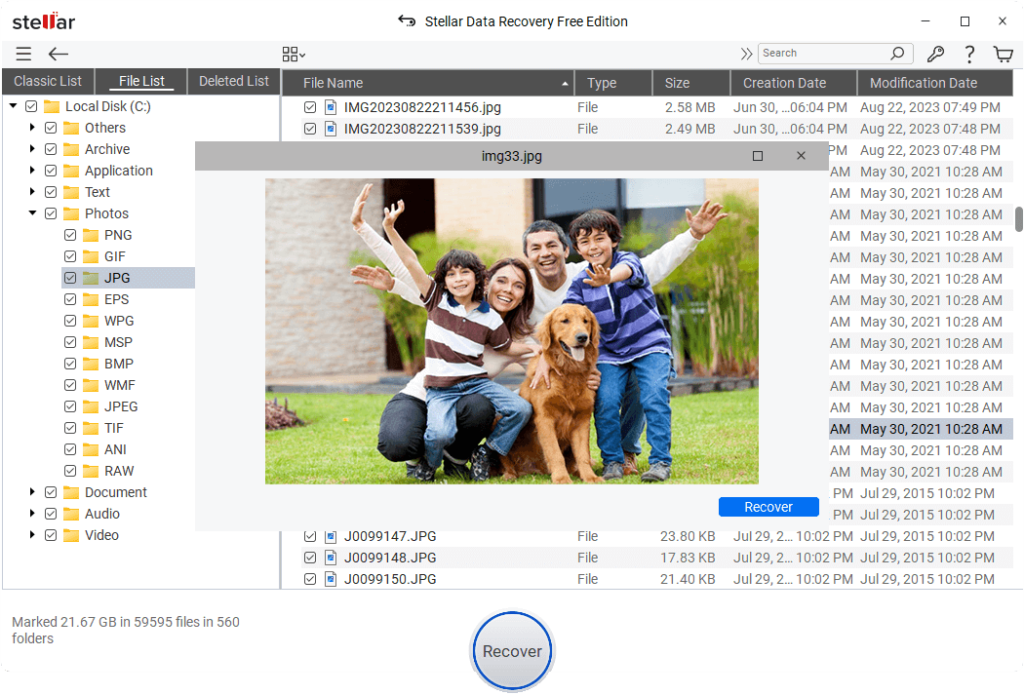
Stellar Data Recovery Free is a powerful, free data recovery software which you can use to recover files deleted due to accidental deletion, formatting, system failures, virus attacks, and many other reasons. This user-friendly software is designed to recover lost, deleted, or inaccessible files from various storage devices. It supports recovery of files from HDDs, USB drives, memory cards, and other internal or external storage media, making it suitable for both personal and professional use.
The Stellar Data Recovery Free software supports the recovery of deleted files up to 1 GB for free. To restore files of a larger size, you can upgrade to premium versions. This software also lets you preview the recoverable files before restoring them. With strong performance in common data loss scenarios, Stellar remains a solid choice for quick and efficient recovery tasks.
Key Features of Stellar Data Recovery Free Software:
- Supports recovery of deleted files of various formats, including documents, photos, videos, emails, and archives.
- Offers an intuitive user interface with step-by-step recovery process, making it easy for beginners to scan, preview, and restore files.
- Allows you to preview the recoverable files before recovery, allowing you to verify file integrity and selectively recover only the required data efficiently.
- Allows recovery of up to 1GB of data in the free version, making it suitable for small recovery tasks without requiring an immediate upgrade.
Here’s how to recover deleted data using this free data recovery software:
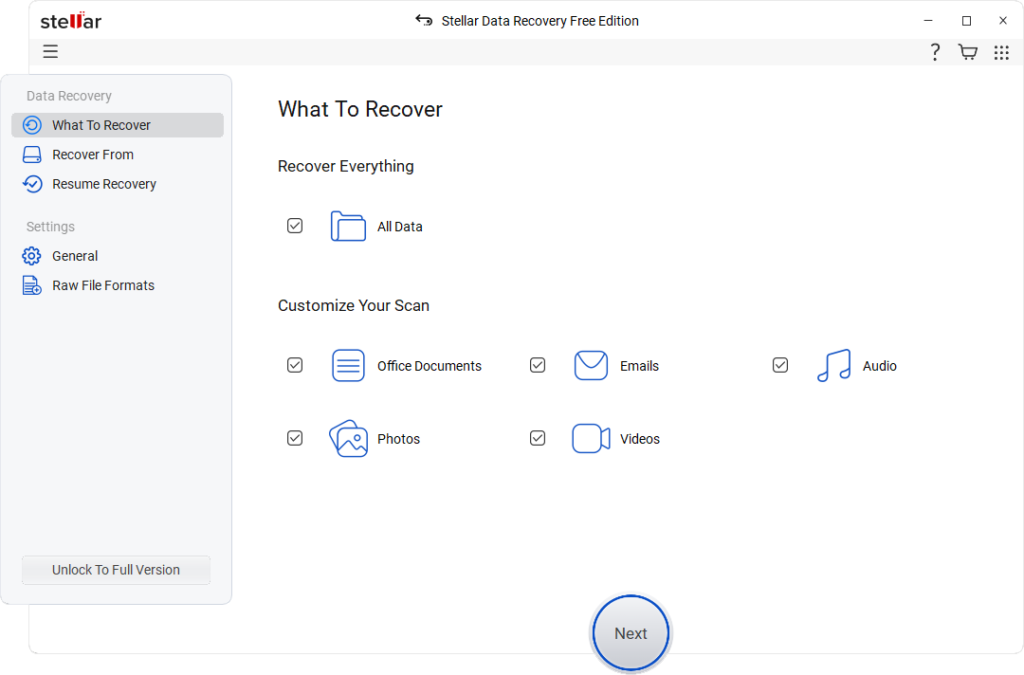
Step 1: Download and install the Stellar Data Recovery Free software on your Windows PC. Launch the software and from the homepage, select All Data (or the type of file you need to restore) and click Next.
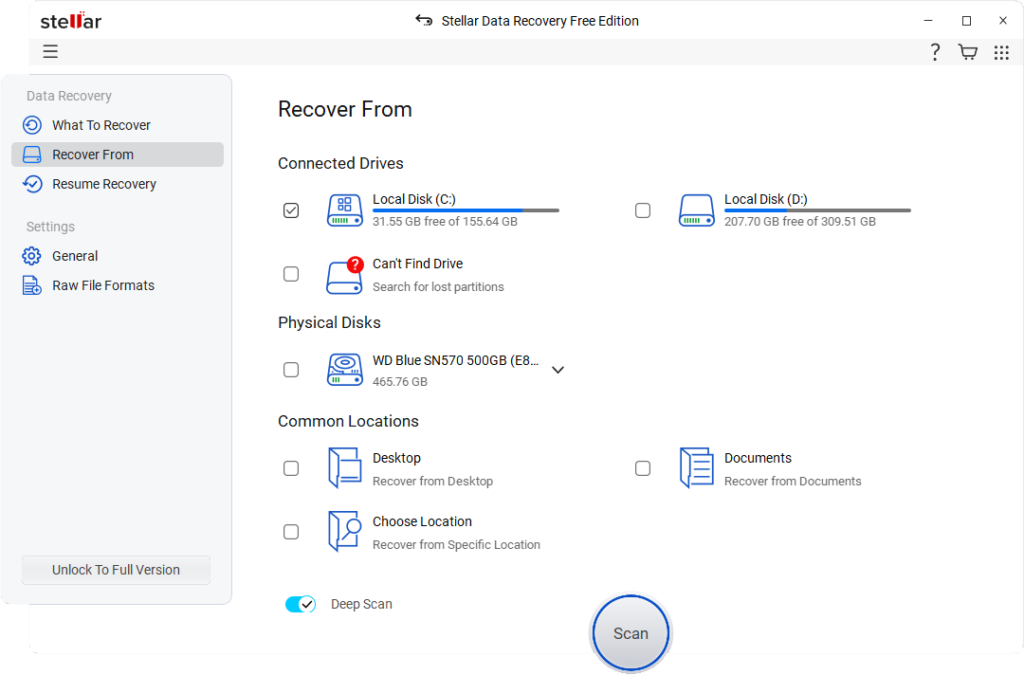
Step 2: Select the storage drive where the deleted file was stored before deletion and tap “Scan” to initiate the scanning process.
Step 3: After scanning, preview the recoverable files and select the one you want. Click Recover to save them to a different location to avoid overwriting existing data.
02: Wondershare Recoverit Free
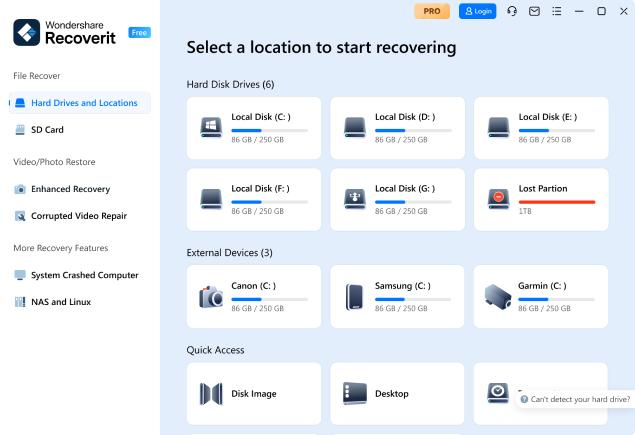
Wondershare Recoverit Free is a powerful and widely used free data recovery software, mainly known for its clean interface and high recovery success rate across different scenarios. You can use this software to recover lost or deleted files from various storage devices, including hard drives, SSDs, USB drives, SD cards, and even crashed systems. The software offers to scan, preview, and recover files in just a few steps, making it suitable for both beginners and professionals. With support for over 1000 file types and advanced scanning algorithms, Recoverit remains a strong contender in modern data recovery tools.
Key Features:
- Supports recovery of deleted files of various file types, such as photos, videos, documents, etc., ensuring compatibility with diverse data formats and storage systems.
- Performs Quick scan and Deep scan modes, enabling fast recovery for recent deletions and thorough recovery from formatted or damaged drives.
- Includes file preview and filtering options, which you can use to check file quality and quickly locate specific data before recovery begins.
03: AnyRecover Data Recovery Free
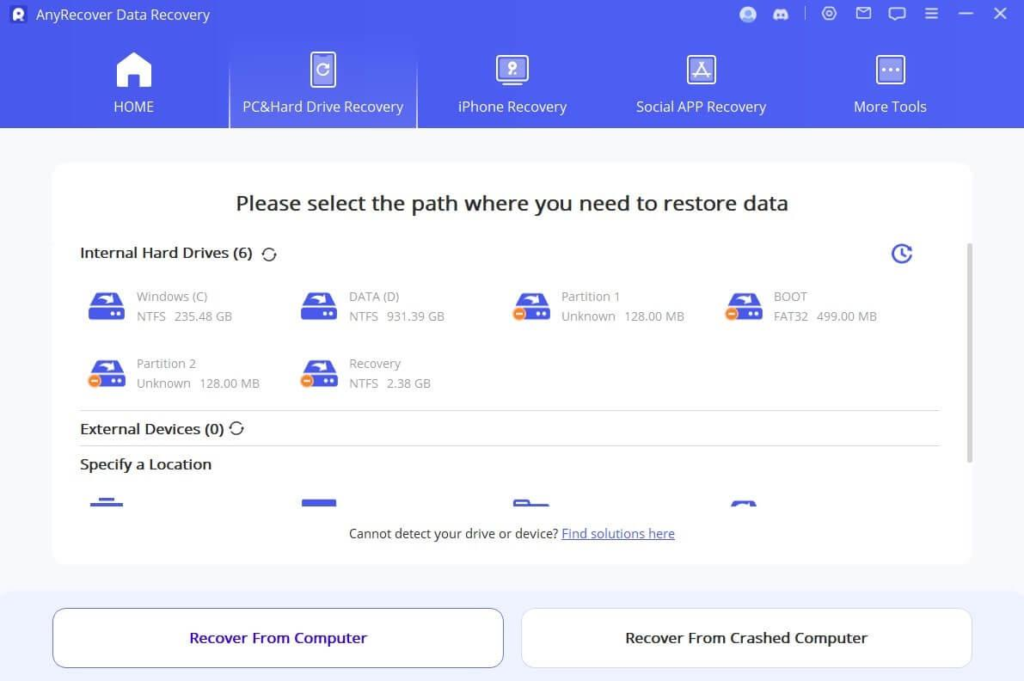
AnyRecover Data Recovery Free is a versatile and efficient recovery software which is compatible with restoring files deleted from Windows, macOS, Android, and iOS platforms. The software supports recovery of deleted files from hard drives, SSDs, SD cards, and other internal or external storage devices, making it a comprehensive solution for both personal and professional use. It offers a simple three-step recovery process—scan, preview, and recover—ensuring ease of use even for beginners. The tool is known for some advanced features such as deep scanning and file repair, which enhance recovery success rates in complex scenarios such as system crashes or corrupted partitions.
Key Features:
- Recovers deleted, formatted, or corrupted data from various devices across multiple storage environments efficiently.
- Allows you to preview recoverable files before restoration, helping to verify file quality and selectively recover only necessary data efficiently.
- Includes additional features like file repair and system recovery, enabling you to fix corrupted files and recover data from crashed systems effectively.
Quick Comparison: Top 3 Free Data Recovery Software
Here’s a quick comparison table highlighting the features of the aforementioned top free data recovery tools:
| Feature | Stellar Data Recovery Free | Wondershare Recoverit Free | AnyRecover Data Recovery Free |
| Free Recovery Limit | Up to 1GB free recovery | Limited free recovery (varies, typically low cap) | Limited free recovery (few files or restricted usage) |
| Ease of Use | Beginner-friendly interface with guided recovery steps | Modern, intuitive interface with automated scanning | Simple interface with three-step recovery process |
| File Type Support | Supports common file types and disk image recovery | Supports multiple file formats with broader compatibility | Supports multiple file formats across multiple platforms |
| Advanced Features | Disk imaging, RAID recovery, and drive monitoring tools | Quick and easy data recovery, bootable recovery support | Deep scan, file repair, and cross-device recovery capabilities |
| Best Use Case | Professional-level recovery and advanced disk operations | High success rate and best overall user experience | Multi-device recovery including mobile platforms |
Conclusion
Data recovery can be challenging, especially if you don’t have a backup of your lost data. Thanks to the aforementioned top 3 free data recovery tools of 2026, which allow you to recover deleted data without any cost. Carefully check the features of these tools and then choose the one that best fits your needs. Each tool has its strengths and limitations, so the best choice depends on your requirements, technical skills, and the complexity of the data loss scenario. Moreover, you can consider preventive measures such as maintaining regular backups, cloud storage, and proper system maintenance to avoid such data loss instances.