


Experiencing an IPTV playback error can be one of the most frustrating issues for any IPTV user. You open your IPTV app expecting to watch live TV, movies, or sports, only to encounter an error message or a blank screen. Unlike buffering or slow streaming, a playback error often prevents any content from playing at all.
- Understanding How IPTV Playback Works
- Common Causes of IPTV Playback Errors
- Invalid or Expired IPTV Playlist
- Server Downtime or Overload
- Network Connectivity Problems
- Device Performance and Compatibility Issues
- App Glitches and Outdated Software
- Regional Restrictions and Geo-Blocking
- Incorrect Device Settings
- How to Fix IPTV Playback Errors Effectively
- Verify and Update Your IPTV Playlist
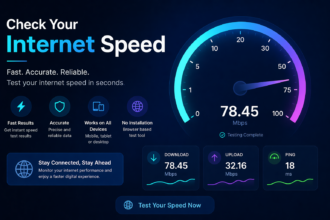
- Check Internet Speed and Stability
- Restart Your Device and App
- Update or Reinstall IPTV App
- Use a VPN for Geo-Restricted Content
- Clear App Cache and Data
- Upgrade Your Device or Use Dedicated Streaming Hardware
- Contact Your IPTV Provider
- Preventing IPTV Playback Errors
- Conclusion
IPTV playback errors can stem from multiple causes, including playlist problems, app glitches, network issues, server errors, and device limitations. These errors can appear in different forms, such as “Cannot play media,” “Playback failed,” or “Stream unavailable.” Understanding why these errors occur is the first step toward resolving them.
In this article, we will explore the main causes of IPTV playback errors and provide practical, step-by-step solutions to fix them effectively, ensuring uninterrupted streaming.
Understanding How IPTV Playback Works
To fix IPTV playback errors, it’s important to understand how IPTV UK streaming functions. IPTV streams content over the internet using formats like M3U playlists, Xtream Codes, or dedicated IPTV apps. When you select a channel, your device sends a request to the IPTV server, which streams the content to your device in real time.
The playback process involves three key components: the IPTV server, your internet connection, and the playback device. If any of these components fail, the result can be an IPTV playback error. Even high-speed internet alone cannot guarantee smooth playback if the server or device is problematic.
Common Causes of IPTV Playback Errors
IPTV playback errors can happen for several reasons, and identifying the root cause is critical. The most common reasons include invalid playlists, server downtime, app glitches, network instability, device limitations, and incorrect settings.
Other factors, such as outdated apps, corrupted cache, and regional restrictions, can also trigger playback errors. By understanding these causes, you can apply the appropriate fix instead of wasting time on trial and error.
Invalid or Expired IPTV Playlist
One of the most frequent causes of IPTV playback errors is an invalid or expired playlist. Most IPTV services use M3U playlists or similar formats to provide a list of channels. If the URL is incorrect, expired, or corrupted, your app will be unable to access content.
Even a small typo in the playlist URL can lead to a playback error. Verifying the playlist with your IPTV provider and using a valid link is crucial for smooth streaming.
Server Downtime or Overload
Another common reason for IPTV playback errors is server-related issues. IPTV servers may go down due to maintenance, technical glitches, or overload during peak traffic times. When the server is unavailable, your device cannot retrieve the content, resulting in playback errors.
Sometimes, the server may be slow due to high user demand, causing partial errors or failed playback attempts. Choosing a reliable IPTV provider with robust servers can reduce these problems.
Network Connectivity Problems
A stable internet connection is essential for IPTV playback. Even if you have fast internet, issues like high latency, packet loss, or intermittent connectivity can lead to errors. Wi-Fi interference or overloaded networks may prevent your device from maintaining a continuous stream.
Testing your connection, switching to wired Ethernet if possible, and minimizing competing devices on the network can significantly improve playback reliability.
Device Performance and Compatibility Issues
Older or low-end devices often struggle with IPTV streaming. Limited RAM, slow processors, and outdated operating systems can all cause playback errors. Even if your internet is fast and your playlist is valid, a weak device may fail to decode streams properly.
Upgrading your device or using a dedicated streaming box optimized for IPTV can prevent playback errors and ensure smooth performance.
App Glitches and Outdated Software
IPTV apps can develop bugs or become incompatible with new playlist formats. Outdated versions may fail to decode streams or handle server requests properly, resulting in playback errors.
Updating the app to the latest version, clearing cache, or reinstalling the app often resolves these issues. Using apps that receive regular updates ensures better stability and compatibility.
Regional Restrictions and Geo-Blocking
Certain IPTV streams may be restricted based on your geographic location. Regional restrictions can prevent the content from loading, leading to playback errors. Some channels are only accessible from specific countries or regions due to licensing agreements.
Using a reliable VPN can bypass geo-restrictions, allowing your device to access content from different locations and eliminating playback errors caused by region-based blocking.
Incorrect Device Settings
Improper device settings, such as incorrect time zone, playback format, or video output, can trigger playback errors. Some IPTV Free Trail apps rely on precise system settings to decode streams correctly.
Ensuring your device’s settings are accurate and compatible with the IPTV app can fix playback errors quickly.
How to Fix IPTV Playback Errors Effectively
Fixing IPTV playback errors requires a systematic approach. By addressing the common causes one by one, you can restore uninterrupted streaming. Here are the most effective solutions.
Verify and Update Your IPTV Playlist
Always check that your playlist URL is valid and up to date. Contact your IPTV provider if needed to get the latest link. Re-enter the playlist in your app carefully, avoiding typos or extra spaces.
Removing corrupted or outdated links from your playlist also helps reduce playback errors.
Check Internet Speed and Stability
Test your connection to ensure it meets the minimum requirements for IPTV streaming. A wired Ethernet connection is more reliable than Wi-Fi, but if Wi-Fi is necessary, minimize distance and interference.
Reducing other network traffic during streaming can also prevent playback errors.
Restart Your Device and App
Temporary glitches can often cause playback errors. Restarting your device and IPTV app refreshes network connections and clears temporary system errors.
This simple step is often the quickest solution to restore playback.
Update or Reinstall IPTV App
Keeping your app updated ensures compatibility with playlists and servers. If updating does not work, uninstall and reinstall the app to clear corrupted files.
Always download the app from a trusted source to avoid malware or unstable versions.
Use a VPN for Geo-Restricted Content
If playback errors are due to regional restrictions, a reliable VPN can help. VPNs route your connection through servers in allowed regions, bypassing geo-blocks.
Ensure you use a VPN that supports streaming to avoid additional buffering or connectivity issues.
Clear App Cache and Data
Clearing cache and app data removes old or corrupted files that can interfere with playback. After clearing, reload the playlist to fetch fresh data from the server.
This step often resolves persistent playback errors caused by app-related issues.
Upgrade Your Device or Use Dedicated Streaming Hardware
If your device struggles to handle IPTV streams, consider upgrading to a more capable device or using a dedicated streaming box. Devices with better RAM, faster processors, and modern operating systems decode streams more efficiently.
This is especially important for high-definition or 4K IPTV streams.
Contact Your IPTV Provider
If all else fails, contact your IPTV provider. Server issues, account problems, or playlist errors may be the cause. Reliable providers can verify your account, provide updated playlists, or advise on server-related problems.
Getting professional support ensures that playback errors are resolved quickly.
Preventing IPTV Playback Errors
Preventing playback errors is easier than fixing them repeatedly. Keep your app and device updated, maintain a stable internet connection, and use valid playlists. Regularly clear app cache and choose a reliable IPTV provider with robust servers.
Taking these preventive steps reduces the likelihood of playback errors and enhances your streaming experience.
Conclusion
IPTV playback errors can disrupt your entertainment experience, but most issues are solvable. From verifying playlists and updating apps to improving device performance and network stability, there are multiple ways to restore seamless streaming.
Understanding the causes and applying systematic solutions ensures you can enjoy uninterrupted IPTV content. With proper maintenance, device optimization, and reliable IPTV services, playback errors become rare, allowing you to fully enjoy live TV, movies, and sports with ease.