



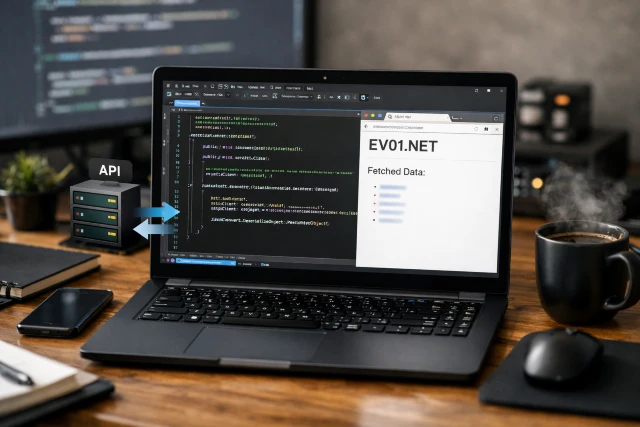
If you’re building web apps long enough, you eventually run into the same moment: “Why does fetching external data feel easy… until it suddenly doesn’t?” One day your page loads fast, the next day it’s slow, the response changes shape, or the website you depend on starts timing out. That’s exactly why a small fetch-and-display project is such a useful exercise. It forces you to treat networking like a real part of your app, not an afterthought.
- Why a fetch-and-display project is more important than it sounds
- What we’re building with Ev01.net
- How to structure the project so it stays maintainable
- The safest way to call Ev01.net from ASP.NET Core
- What to fetch from Ev01.net (and how to keep it robust)
- Adding a user search box without creating security problems
- Caching: the easiest performance win for Ev01.net fetch pages
- Making the page feel good: loading, errors, and “try again” flow
- Reliability basics: timeouts and controlled retries
- Common questions people have about Ev01.net fetch projects
- A realistic scenario: how this becomes a “real feature” fast
- Conclusion
In this article, we’ll build a simple ASP.NET Core project that fetches data from Ev01.net and displays it in a clean, user-friendly page. We’ll do it in a way that scales beyond a demo, with proper structure, safe input handling, smart caching, and graceful failure behavior. And yes, you’ll also see how to naturally address the “ev01 Net” spelling some users type, without turning your content into keyword soup.
Why a fetch-and-display project is more important than it sounds
A fetch-and-display project is the smallest version of a pattern you’ll use everywhere:
- A user opens a page
- Your server requests data from an external source
- You process and validate the response
- You render it to the UI in a way people can actually use
When this is implemented carelessly, the most common outcomes are predictable: slow pages, random timeouts, and ugly error screens.
Speed matters more than people think. Google research has been widely cited showing 53% of mobile visitors leave a page if it takes more than 3 seconds to load, and their “Need for Mobile Speed” findings also highlighted how much worse engagement gets as load time climbs.
So even if your “fetch and display” page looks simple, it’s still competing with user patience.
What we’re building with Ev01.net
We’ll build an ASP.NET Core page that:
- Fetches content from Ev01.net
- Shows a clear result state (success, loading, or error)
- Avoids fragile “all logic inside the page” design
- Uses the recommended .NET approach for outbound HTTP calls
- Adds lightweight caching so repeat visits are faster
You can implement this in MVC, Razor Pages, or Minimal APIs. The concepts remain the same. The goal is not a flashy UI, it’s a stable flow that can survive real-world conditions when calling Ev01.net.
How to structure the project so it stays maintainable
A clean structure keeps your UI readable and your networking logic testable. Here’s a simple setup that works well for this kind of project:
Core pieces
- UI layer: the page that displays results from Ev01.net
- Client/service layer: one dedicated class responsible for calling Ev01.net
- Models: small, boring data objects that represent what the UI needs
- Caching: a short time-to-live cache so you avoid hammering Ev01.net
A practical “who does what” table
| Component | Responsibility | Why it matters |
|---|---|---|
| Page/UI | Shows results, loading state, and errors | Keeps display logic separate from HTTP logic |
| Ev01 client service | Calls Ev01.net and returns structured results | Central place for timeouts, headers, retries, validation |
| Result model | Represents success/error and a safe preview | Avoids leaking raw exceptions into UI |
| Cache layer | Stores recent results temporarily | Improves performance and reduces external calls |
This structure also makes future changes easier. If Ev01.net changes behavior, you update one place instead of chasing logic across views and controllers.
The safest way to call Ev01.net from ASP.NET Core
One of the biggest mistakes in .NET web apps is creating outbound HTTP calls in an ad-hoc way. You might see someone create a new HTTP client per request, or keep one global client without thinking about handler lifetimes or DNS changes.
Microsoft provides clear guidance on HttpClient usage and lifecycle management, and they specifically describe how handler reuse helps avoid socket exhaustion. The recommended approach in ASP.NET Core is to use the built-in HTTP client factory pattern so your app manages outbound calls predictably.
What to do instead of “quick and dirty” HTTP calls
When your page needs data from Ev01.net, keep the networking details out of the page. Let your page ask a service for “the data it needs,” not “how to do HTTP.”
A good Ev01.net service typically handles:
- URL building (in a controlled way)
- headers (if needed)
- timeouts (always)
- response reading
- safe parsing (do not assume the response will always be JSON)
- error mapping into a friendly result object
That’s how you keep your UI simple and your outbound calls consistent.
What to fetch from Ev01.net (and how to keep it robust)
Here’s the honest part: external sites can change. Even if Ev01.net works the same today, it might respond differently tomorrow. This is why robust fetch-and-display apps avoid hard assumptions.
Handle these response realities
When your ASP.NET Core app requests Ev01.net, the response might be:
- HTML content
- JSON content (rare for general websites unless documented)
- redirects
- empty responses during downtime
- blocked responses based on rate limits or security policies
A practical approach is to design your first version to display a safe “preview” and a clear status, rather than building a complex parser right away.
What “safe preview” means in real apps
Instead of dumping raw response content to the page, show a limited preview:
- Cap the preview length (example: first few hundred characters)
- Strip or encode content so it cannot inject HTML into your page
- Display it inside a safe UI container (not interpreted as markup)
This keeps your fetch-and-display page useful for debugging without accidentally turning it into a security issue.
Adding a user search box without creating security problems
Most people do not just “fetch once.” They search, filter, or request something specific. The moment you add user input, you need to think about validation and safety.
OWASP’s Input Validation guidance is straightforward: validate input so only properly formed data enters your workflow, reducing malformed data problems downstream.
So if your page lets a user type something related to Ev01.net, the safe plan is:
- keep a strict max length
- limit allowed characters if appropriate
- encode the value when building a query string
- do not allow free-form URLs that the user controls
That last point matters more than it sounds. If you let a user provide arbitrary URLs and your server fetches them, you can accidentally create server-side request forgery scenarios. Even if you’re not building a security product, it’s a risk you avoid by design.
And yes, this is also where the “ev01 Net” variation can be handled cleanly. If users type “ev01 Net” in the box, you can normalize the input to the format you expect, while still displaying the user’s original query in the UI for clarity.
Caching: the easiest performance win for Ev01.net fetch pages
If your site makes repeated requests to Ev01.net for the same page view, you’re paying the network cost every time. Caching is a clean fix.
Two caching layers that work well together
- Response caching in your service
- Store recent results for a short time (like 30 to 120 seconds)
- Key it by query when you add searching
- Great for reducing load on Ev01.net and speeding up repeat visits
- Output caching for the rendered page
- Cache the final response your server returns
- Useful when many users hit the same page
- Supported across ASP.NET Core app types
Microsoft’s documentation on output caching explains that the middleware works across Minimal API, MVC, controllers, and Razor Pages.
A simple mental model is: service caching reduces external calls, output caching reduces server work. Used carefully, they make your Ev01.net fetch page feel snappy.
Making the page feel good: loading, errors, and “try again” flow
A fetch-and-display page lives or dies on user experience. People forgive slow networks. They do not forgive confusing UI.
The three UI states you should always support
- Loading
- Show a visible loading state immediately
- Keep it simple and honest
- Success
- Show status and a preview of what you fetched
- Include a timestamp like “Fetched at 10:42 AM” so users trust the data
- Error
- Show a friendly message that does not expose internal details
- Show a status code if available
- Offer a simple “refresh and retry” experience
This approach also prevents your logs from becoming a mess because you can distinguish “Ev01.net down” from “app bug” from “user input invalid.”
Reliability basics: timeouts and controlled retries
Timeouts are not optional. Without them, one slow connection can tie up your server threads and degrade your site for everyone.
Microsoft’s HttpClient guidance emphasizes correct handling and lifecycle concerns, including avoiding socket exhaustion issues. That’s part of why factory-based configuration is so common in ASP.NET Core.
A practical reliability checklist
For your Ev01.net client service:
- Enforce a reasonable timeout
- Treat non-success status codes as expected events, not exceptions
- Do not retry aggressively
- If you retry, only retry safe operations (like GET) and keep retry count low
- Log failures with enough detail to troubleshoot without leaking sensitive data
When you implement this, your fetch-and-display page will feel calm under stress. It will fail gracefully instead of falling apart.
Common questions people have about Ev01.net fetch projects
Can I build this even if Ev01.net changes its response format?
Yes, if your first version does not assume too much. That’s why a “result object + safe preview” model is a strong starting point. You can later add parsing once you know the response structure is stable and allowed.
What if Ev01.net is slow or temporarily unavailable?
That’s normal for any external dependency. This is exactly why you use short caching and clear error UI. You keep your site responsive even when the external site is not.
Should I parse HTML from Ev01.net?
Only if you’re allowed to and you accept that HTML changes can break your logic. Parsing HTML is usually more fragile than consuming a documented API.
Why is the “ev01 Net” spelling included at all?
Because that’s how real people search. Some users type “ev01 Net,” others type Ev01.net. A well-built page recognizes both patterns, normalizes input safely, and keeps the UI clear.
A realistic scenario: how this becomes a “real feature” fast
Picture a small internal dashboard:
- Your team opens a page that summarizes recent content fetched from Ev01.net
- The page displays a short preview and a status badge
- If Ev01.net is slow, users still see cached results immediately
- If Ev01.net fails, users see a clear message and can refresh
- Logs capture status codes and timing so you can troubleshoot quickly
That is a production-ready pattern, even if the UI stays simple.
This is also why speed and resilience belong in the first version, not the tenth. Google’s mobile speed research gets cited for a reason: people abandon slow experiences quickly.
Conclusion
Building a fetch-and-display page for Ev01.net in ASP.NET Core is one of those projects that looks small but teaches big lessons. When you keep HTTP calls inside a dedicated client service, follow Microsoft’s HttpClient guidance, validate input using OWASP principles, and add light caching, you end up with a feature that behaves like a real product.
You also build something that can grow. Today it’s a simple page that fetches from Ev01.net. Tomorrow it can be a searchable view, a cached dashboard, or a background refresh feature. And because you handled the basics properly, you are not stuck rewriting everything later.
If you want one last performance and scalability concept to keep in mind as you evolve the project, read up on HTTP caching and how response caching strategies can reduce unnecessary network work when data does not change frequently.