


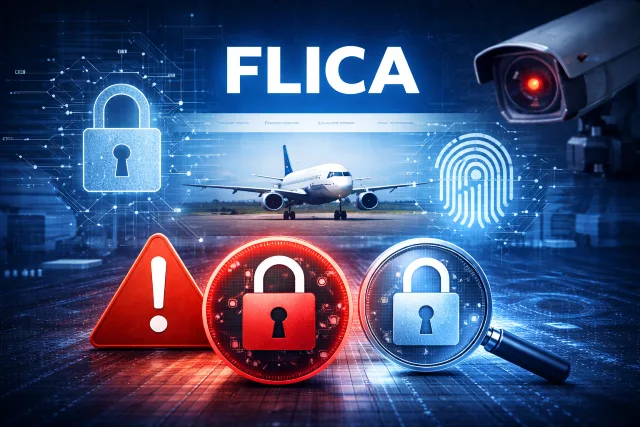
If you’ve landed here, you’re probably trying to answer a simple question that doesn’t feel simple at all: is Flica Net safe to use? Maybe you just got access through your airline, maybe you’ve used it for years, or maybe you saw the name pop up in a message and you’re wondering if it’s legit.
- What Exactly Is Flica Net?
- Is Flica Net Legit?
- The Real Risks: What Can Go Wrong When Using Flica Net?
- How Flica Net Handles Security (What You Can Confirm as a User)
- Privacy: What Data Might Be Exposed If Your Flica Net Account Is Compromised?
- Red Flags to Know: Signs You Might Be Looking at a Fake Flica Net Page
- A Practical Safety Checklist for Using Flica Net (In 2 Minutes)
- Common Flica Net Security Risks and How to Reduce Them
- What to Do If You Think Your Flica Net Account Was Compromised
- Common Questions People Ask About Flica Net Safety
- Conclusion: So, Is Flica Net Safe to Use?
Here’s the quick context before we dig in. Flica Net (often shown as FLICA.Net) is a web platform used by flight crews and airline operations for things like scheduling tools, bidding, and related work activities. The login pages are hosted on the flica.net domain and often appear through airline-specific subdomains, and the site is branded as CAE’s “Flight Crew Access.”
Now the honest answer: Flica Net can be safe to use when you are on the real site and you follow basic account security. The bigger risk usually isn’t the platform itself. The bigger risk is what happens around it, like phishing, fake login pages, stolen passwords, or logging in from an infected device.
This guide breaks it all down in plain language: what you should expect from the real service, what privacy and security risks matter most, and the red flags that should make you stop and double-check before entering your credentials.
What Exactly Is Flica Net?
Flica Net is a web-based service used by crew members and management to access scheduling-related functions from any computer with an internet connection. In different airline environments you may see different help portals, but the concept is the same: you sign in to a secure web area to manage work-related scheduling tasks.
The main official login experience is on the flica.net domain and includes typical login elements like User ID, Password, “Forgot User ID or Password?”, and “First-Time User,” along with links to a license agreement and support pages.
Why people worry about safety
Because accounts like these can be valuable targets. If someone gets into a crew account, they may not just see a schedule. They might also find personal identifiers, work patterns, and other information that could be misused. Even when the platform itself is legitimate, credential theft and phishing can still put you at risk.
Is Flica Net Legit?
Yes, the legitimate service exists on flica.net and is presented as CAE’s Flight Crew Access with public-facing pages for login, copyright, contact, and an end-user license agreement describing FLICA.Net as CAE’s proprietary website/software.
So the better question is not “Is it legit?” but:
Am I actually on the real Flica Net site, and am I signing in safely?
That’s where most people get tripped up.
The Real Risks: What Can Go Wrong When Using Flica Net?
Let’s separate the risks into the ones you can’t control (the platform’s internal security) and the ones you can control (your sign-in habits, device security, and phishing awareness).
1) Phishing is fast, and it works
Phishing is still one of the most common ways attackers steal logins. Verizon’s DBIR reports that the median time for users to fall for phishing emails is less than 60 seconds. That’s not a typo. Under a minute.
When you’re tired, rushing, or reading messages between tasks, it’s easy to click the wrong thing. Attackers know that.
2) Stolen credentials are everywhere
Verizon’s DBIR also notes that stolen credentials have appeared in almost one-third (31%) of breaches over the past 10 years.
That matters for Flica Net because many successful account takeovers don’t require “hacking” the site. They require “logging in” with a password that was stolen somewhere else.
3) Password-stealing malware and credential resale markets
The same report describes how credential markets operate at scale, including credentials being posted for sale quickly after collection and sold at low prices.
If your device is infected, your credentials can be captured regardless of how secure the website is.
4) Real-world losses show why criminals keep trying
The FBI’s IC3 annual report highlights $16.6 billion in reported losses in 2024 and a very large volume of complaints, showing how widespread online crime remains.
Again, the point is not that Flica Net is the cause. The point is that attackers are highly motivated, and login-based systems are constant targets.
How Flica Net Handles Security (What You Can Confirm as a User)
You don’t need to be a security engineer to sanity-check whether your session looks normal. Here are practical signals you can verify.
You should see the right domain
The official service is on flica.net (including legitimate subdomains).
A safe habit is to type the address yourself or use a saved bookmark instead of clicking links.
Look for secure connection indicators
Modern browsers typically show a lock icon for HTTPS connections. If your browser warns you that the certificate is invalid, mismatched, or expired, treat it as a “stop sign” until you confirm what’s going on.
The login page should not ask for weird extras
A real login page should ask for the usual credentials your employer assigned. Be suspicious if you are asked for things like:
- Credit card details or payment to “activate”
- Full bank information
- One-time codes that you did not request
- A password reset that you never initiated
The legitimate login pages show standard account flows like “Forgot User ID or Password?” and “First-Time User,” plus official support links.
Privacy: What Data Might Be Exposed If Your Flica Net Account Is Compromised?
Privacy worries usually come from a simple scenario: someone else logs in as you.
Depending on your airline’s configuration, a compromised Flica Net account could expose:
- Your name and employee identifiers (varies by setup)
- Schedule and work pattern data
- Bidding activity and preferences
- Communication inside the platform (if enabled)
- Any personal details your organization stores in the system
Even when “nothing financial” is visible, scheduling data can still be sensitive. It can be used for social engineering, impersonation, or targeted phishing. For example, if an attacker knows when you’re flying, they can craft convincing messages that feel “work real.”
Red Flags to Know: Signs You Might Be Looking at a Fake Flica Net Page
This section is the one to save and come back to.
Red flag 1: The URL is slightly wrong
Attackers love lookalike domains. Examples of what “wrong” can look like:
- Extra letters (fIica vs flica)
- Different endings (.com, .net, .org) instead of flica.net
- Strange subdomains on unrelated domains
If it’s not on flica.net, slow down and verify.
Red flag 2: You arrived from a pressured message
A classic phishing pattern is urgency:
- “Your account will be suspended today”
- “Immediate action required”
- “You missed a critical update”
If the message pushes urgency and includes a login link, it’s safer to ignore the link and go to Flica Net through your normal method.
Red flag 3: Your browser shows a certificate warning
Certificate warnings are not “minor.” They can indicate interception or a fake site.
Red flag 4: The page looks off, or the wording feels sloppy
Real enterprise login pages are usually consistent. If fonts, spacing, or grammar look odd, treat it as suspicious.
Red flag 5: It asks for information Flica Net would not need
If it asks for payment, your personal email password, your banking login, or anything unrelated to crew access, back out.
Red flag 6: You are prompted to install a “required plugin” or file
It’s common for scams to push malicious downloads. Do not install random files just to view schedules.
A Practical Safety Checklist for Using Flica Net (In 2 Minutes)
Here’s a short checklist you can actually use in real life.
Before you sign in
- Use a bookmark or type the URL yourself (avoid random links).
- Confirm the domain ends in flica.net.
- Make sure the browser shows a secure connection (no certificate warnings).
- Avoid logging in on shared or public computers when possible.
Password hygiene that makes a real difference
- Use a long passphrase, not a short complex password.
- Never reuse your Flica Net password on other sites.
- Use a password manager so you don’t “simplify” passwords over time.
NIST’s digital identity guidance supports stronger authentication practices and better password handling as part of modern account security.
Device safety
- Keep your operating system and browser updated.
- Use reputable anti-malware protection.
- Avoid signing in on devices with unknown software or suspicious popups.
Common Flica Net Security Risks and How to Reduce Them
| Risk | What it looks like | What to do |
|---|---|---|
| Phishing link | “Verify your Flica Net account” message with a login button | Don’t click. Open Flica Net directly from your bookmark |
| Lookalike domain | flica-login[dot]something | Check for flica.net before entering credentials |
| Reused password | Same password used on other websites | Change it now and use a unique passphrase |
| Infected device | Passwords saved in browser, odd popups, slow device | Run a security scan, update software, change passwords after cleanup |
| Shared computer | Crew lounge device, cybercafe | Use private browsing, sign out, avoid “Remember Me” |
What to Do If You Think Your Flica Net Account Was Compromised
If something feels wrong, act quickly and calmly.
- Change your password immediately (through the official site, not an email link).
- Sign out of all sessions if your environment offers that option.
- Contact the right support channel through official contact methods. CAE’s FLICA support contact information is published on the official site.
- Notify your airline or internal IT/security team so they can monitor for suspicious activity.
- Scan your device for malware before you re-enter credentials again.
If the incident started with a message (email or SMS), keep it. Screenshots help your IT team confirm whether it was phishing.
Common Questions People Ask About Flica Net Safety
Can I use Flica Net on my personal phone or laptop?
In many organizations, yes, but your safety depends on your device hygiene. Personal devices can be safe if they are updated, protected, and not shared. The bigger issue is logging in from devices you don’t control.
Does “Remember Me” make Flica Net unsafe?
Not automatically, but it increases risk on shared devices. On a shared or public computer, avoid it. On a personal device with a lock screen and good security, it’s usually fine.
Is the biggest risk Flica Net itself?
Most of the time, no. The biggest risk is typically credential theft through phishing or malware. Verizon’s reporting on stolen credentials and phishing speed is a good reminder that attackers target people as much as systems.
How can I tell if a Flica Net message is fake?
If it pressures urgency, uses an unfamiliar domain, or asks for unusual info, assume it’s suspicious. Open Flica Net directly instead of clicking.
Conclusion: So, Is Flica Net Safe to Use?
Flica Net is generally safe to use when you access it through the official flica.net domain and follow smart login habits. The platform itself is a legitimate flight-crew access system, but your personal safety depends heavily on avoiding phishing, using a unique strong password, and signing in only from trusted devices.
Online crime is still growing, and attackers keep focusing on credentials because it works. The FBI has reported record-scale losses from internet-enabled crime, and Verizon’s research shows stolen credentials appear in a large share of breaches and that phishing succeeds fast.
If you keep just three habits, you’ll avoid most problems:
- Always verify you’re on the real flica.net site
- Use a unique passphrase and store it in password managers
- Treat unexpected login links like suspicious until proven otherwise