


If you are stuck on 4.7.11 Rock Paper Scissors CodeHS, you are not alone. This exercise looks simple at first because almost everyone understands the game, but the coding part can trip people up fast. What usually causes problems is not the idea of rock, paper, scissors itself. It is the small Java details like string comparison, method logic, input handling, and the order of your conditions. CodeHS lists 4.7.11 Rock, Paper, Scissors! as an exercise in its Intro to Java sequence, and that fits perfectly with why this assignment is so useful. It teaches beginner programmers how to turn a familiar game into structured program logic using methods, conditionals, and clear return values.
- Why 4.7.11 Rock Paper Scissors CodeHS Feels Tricky
- What This Assignment Is Really Testing
- The Best Way to Think About the Program
- Common Errors in 4.7.11 Rock Paper Scissors CodeHS
- A Cleaner Logic Pattern That Usually Works
- How to Debug Your Program Without Guessing
- Tips That Help You Finish Faster
- A Realistic Student Mistake Scenario
- How to Avoid Common Submission Problems
- Why This Assignment Actually Matters
- Conclusion
The good news is that this assignment becomes much easier once you stop thinking of it as “a hard game program” and start seeing it as a sequence of small decisions. One method gets the computer’s choice. Another method decides the winner. Then the program prints the result. That is really the core of it. When students run into trouble with 4.7.11 Rock Paper Scissors CodeHS, it is usually because one of those small parts is slightly off, not because the whole assignment is impossible.
A lot of beginner Java assignments feel this way. They are not hard because the idea is complex. They are hard because programming punishes tiny mistakes. One wrong comparison, one misplaced else if, or one return statement in the wrong spot can break everything. That is exactly why this exercise is valuable. Oracle’s Java documentation makes the same point indirectly when it explains how if, else if, and else control program flow, and how Random generates pseudorandom values that your program can use for game choices.
Why 4.7.11 Rock Paper Scissors CodeHS Feels Tricky
On paper, rock beats scissors, scissors beats paper, and paper beats rock. That sounds easy. In code, though, you must account for every possible combination in a way the computer can evaluate correctly.
That means your program often needs to handle:
- the user’s choice
- the computer’s choice
- tie cases
- winning cases
- losing cases
- properly formatted return messages
When beginners write this logic for the first time, they tend to do one of two things. They either write too little logic and miss cases, or they write too much logic and create messy conditions that become hard to debug.
The sweet spot is simple, readable logic.
What This Assignment Is Really Testing
Even if the wording of the exercise varies slightly by class setup, 4.7.11 Rock Paper Scissors CodeHS usually tests the same core Java skills:
- writing methods clearly
- using conditional statements correctly
- comparing strings the right way
- generating a random computer move
- returning the correct game result
- keeping code readable and organized
This matters because the assignment is not only about “winning” the game. It is about learning how to break a problem into steps. That is a foundational programming skill you will use again and again.
The Best Way to Think About the Program
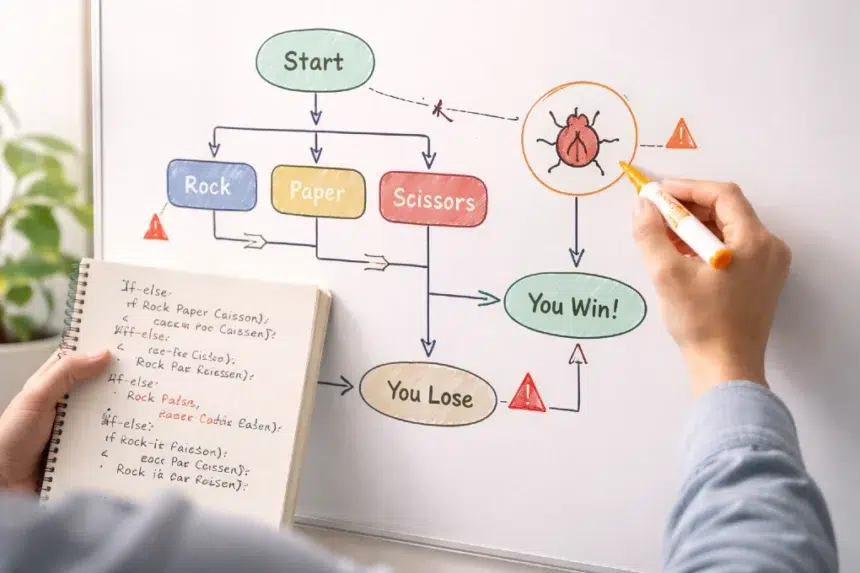
Before touching the code, picture the program flow like this:
- The user chooses rock, paper, or scissors.
- The computer randomly chooses rock, paper, or scissors.
- The program compares both choices.
- The result is returned as tie, user win, or computer win.
- The output is printed clearly.
That is it.
When students get overwhelmed, it is usually because they jump straight into writing conditions without mapping the logic first. If you outline the flow before coding, the assignment becomes much easier to control.
Common Errors in 4.7.11 Rock Paper Scissors CodeHS
Here is where most students lose points or get frustrating output.
1. Using == Instead of .equals() for Strings
This is one of the most common Java mistakes. If your code compares "rock" and "paper" using ==, your logic may fail even when the words look the same.
In Java, strings should usually be compared with .equals(), not ==. That is because == checks whether two references point to the same object, while .equals() checks whether the content matches. Oracle’s Java documentation on control flow supports the general importance of precise condition handling, and this exact string issue is one of the classic beginner bugs in Java classwork.
A safer pattern looks like this in plain thinking:
- if user choice equals computer choice, it is a tie
- if user chose rock and computer chose scissors, user wins
- if user chose paper and computer chose rock, user wins
- if user chose scissors and computer chose paper, user wins
- otherwise, computer wins
That approach is clean and avoids repeating too much logic.
2. Forgetting the Tie Case First
The tie condition should almost always be checked before the win and loss conditions.
Why? Because if both choices are the same and your code moves straight into other if branches, the program can behave unpredictably or skip the result entirely.
Checking the tie first simplifies the rest of your code. It removes one whole category of confusion right away.
3. Mixing Up the Winning Rules
This sounds obvious until you are staring at code for twenty minutes.
Students often accidentally write one of the combinations backward. For example, they may say rock beats paper instead of scissors. One small mistake like that can make the whole method look broken even if everything else is correct.
A quick reference table helps:
| User Choice | Computer Choice | Result |
|---|---|---|
| rock | scissors | User wins |
| rock | paper | Computer wins |
| paper | rock | User wins |
| paper | scissors | Computer wins |
| scissors | paper | User wins |
| scissors | rock | Computer wins |
| same as computer | same | Tie |
When you debug, compare your method against this logic line by line.
4. Generating the Computer Choice Incorrectly
Many versions of this assignment require a random computer move. That usually means choosing from three possible values. If your random logic is off, the game may never generate one option, or it may return the wrong string.
Java’s Random class is designed for this kind of pseudorandom behavior, and Oracle documents its standard use for generating values in programs.
A practical way to think about it is:
- 0 means rock
- 1 means paper
- 2 means scissors
Then convert the number to the matching word.
The mistake often happens when students use the wrong range or forget to map one number. If the method only handles two outcomes instead of three, the program will never behave correctly.
5. Returning the Wrong Message Format
Some CodeHS exercises are strict about output wording. Your logic might be right, but the autograder may still mark it wrong if the return text does not match what the assignment expects.
This is why you should always pay attention to:
- capitalization
- punctuation
- spaces
- exact wording of return strings
That detail feels small, but in autograded assignments it matters a lot.
6. Writing Too Many Conditions
A lot of students try to solve 4.7.11 Rock Paper Scissors CodeHS with a huge wall of if statements. Technically, that can work, but it often becomes harder to read and easier to break.
The cleaner route is to organize your logic in a short, predictable order:
- tie check first
- user win conditions second
- default computer win last
This structure reduces clutter and makes debugging faster.
A Cleaner Logic Pattern That Usually Works
When solving this assignment, the simplest mental model is this:
Step 1: Handle the tie
If both choices match, return tie.
Step 2: Handle all user winning combinations
Check only the three valid user wins.
Step 3: Everything else is a computer win
Once tie and user wins are ruled out, the remaining valid cases belong to the computer.
This approach is efficient because rock, paper, scissors only has a small number of outcomes. You do not need overly fancy code. You need accurate code.
How to Debug Your Program Without Guessing
A lot of students make changes randomly and rerun the program hoping something works. That usually wastes time.
A better debugging process looks like this:
- test one case at a time
- write down expected output before running
- compare actual result with expected result
- isolate the method that failed
- fix one issue before moving to the next
For example, test these cases manually:
- rock vs rock
- rock vs scissors
- rock vs paper
- paper vs rock
- paper vs scissors
- scissors vs paper
- scissors vs rock
If one case fails, do not rewrite everything. Focus only on the branch responsible for that specific result.
That is how good debugging works in real programming too. According to the 2025 Stack Overflow Developer Survey, the dataset includes responses from more than 49,000 developers across 177 countries, which is a reminder that software development is widespread and practical debugging remains one of the most important everyday skills, especially when developers are checking code rather than trusting first drafts blindly.
Tips That Help You Finish Faster
Here are the habits that make this assignment easier:
Keep method names clear
If a method gets the winner, name it something obvious like getWinner. If a method creates the computer move, name it something like getComputerChoice.
Use meaningful constants if the assignment allows it
If your program returns repeated messages, constants can make the code cleaner and reduce typos.
Keep strings consistent
Do not write "Rock" in one place and "rock" in another unless the assignment specifically expects that. Inconsistent case causes subtle bugs.
Test every possible outcome
There are only a few combinations, so there is no excuse to skip testing. This is one of those assignments where full testing is realistic.
Read the prompt again before submitting
Many students lose points because they solved the logic but missed an exact instruction about return values or output.
A Realistic Student Mistake Scenario
Imagine a student writes the following logic in rough form:
- if user is rock and computer is paper, user wins
- if user is paper and computer is scissors, user wins
- if user is scissors and computer is rock, user wins
Everything looks organized, but every win condition is backwards. That means the program is “working” structurally while producing the wrong results.
This is why debugging by reading carefully matters more than debugging by speed. When the logic of the game is flipped, the code can still compile and run. It just gives wrong answers.
That is one of the most frustrating parts of beginner Java work. Syntax errors are easy to spot. Logic errors are sneakier.
How to Avoid Common Submission Problems
Before you submit 4.7.11 Rock Paper Scissors CodeHS, do this checklist:
- confirm all string comparisons use
.equals() - verify the tie case comes first
- check the three winning combinations carefully
- confirm the computer choice method can return all three options
- test sample inputs multiple times
- match the exact expected output text
- remove extra debug prints if the assignment does not want them
This quick pass can save you from avoidable autograder issues.
Why This Assignment Actually Matters
It is easy to think this is just a small classroom task, but it teaches several habits that matter far beyond one exercise.
You are learning how to:
- translate rules into program logic
- structure methods around a single task
- test edge cases
- spot logical mistakes
- write code another person can read
Those are real programming skills. Even simple game exercises are useful because they build the mindset needed for larger projects.
And honestly, that is part of what makes rock, paper, scissors such a good beginner assignment. It is familiar enough to understand immediately, but structured enough to reveal gaps in your coding habits.
In the last stage of polishing your work, it can help to think about the game as a tiny model of decision systems. In a very loose academic sense, games like this are often discussed in relation to game theory, because each result depends on a fixed set of choices and outcomes. That does not mean your CodeHS task is advanced theory. It just shows how even a simple classroom problem connects to bigger ideas in logic and decision making.
Conclusion
The smartest way to complete 4.7.11 Rock Paper Scissors CodeHS without common errors is to keep the program simple, logical, and testable. Start with the tie case, write the three user winning conditions carefully, and let the remaining valid outcomes count as computer wins. That structure is easier to read, easier to debug, and far less likely to break.
Most students do not struggle because the assignment is too advanced. They struggle because tiny Java mistakes create confusing results. Once you pay attention to .equals(), condition order, random choice mapping, and exact return messages, the exercise becomes much more manageable. If you approach it step by step instead of trying to rush to a final answer, you will not just finish the assignment. You will actually understand why your code works.
If your goal is to pass the exercise and improve your Java thinking at the same time, that is the real win here. 4.7.11 Rock Paper Scissors CodeHS is not just about one small game. It is about learning how programmers solve problems cleanly.